

What Google removed
Tab scrolling let users scroll horizontally through their tabs instead of watching them compress into tiny, unreadable slivers. It lived behind the #scrollable-tabstrip flag in chrome://flags for years. In January 2026, Chromium 144 shipped without it.
The removal hit Chrome, Brave, and every other Chromium-based browser simultaneously. Users who routinely work with 50, 80, or 100+ tabs woke up to find their workflows broken.
Timeline
The feature was experimental from the start. Google kept extending its expiry date -until they didn't.
June 4, 2019 - Chrome 75. The #scrollable-tabstrip flag is added to chrome://flags, set to expire in Chrome 82.
2019–2023 - Google extends the expiry repeatedly: 82 → 90 → 95 → 100 → 105 → 115.
July 18, 2023 - Chrome 115. Expiry extended from 115 to 120.
December 5, 2023 - Chrome 120. Expiry extended from 120 to 130.
January 14, 2025 - Chrome 132. Expiry extended from 130 to 145.
June 24, 2025 - Chrome 138. Google removes the Chrome Labs implementation. The feature is being sunset.
January 13, 2026 - Chrome 144. The final commit removes the flags entirely. No workarounds remain.
January 15, 2026 - User complaints flood Google's Chrome Community forums [1] [2].
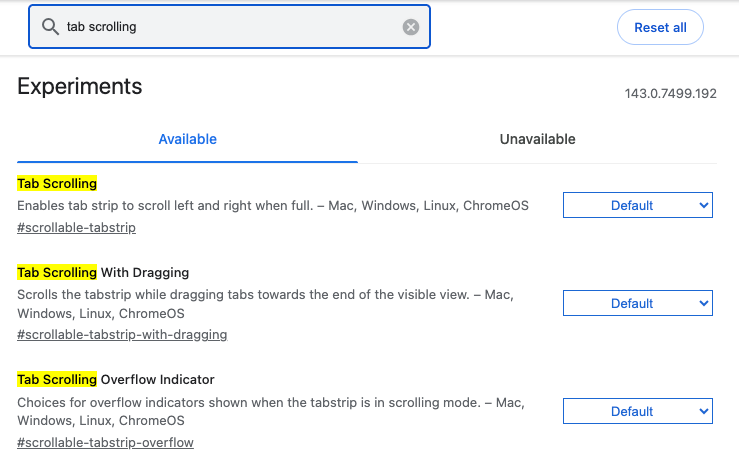 Chrome 143: tab scrolling exists in chrome://flags
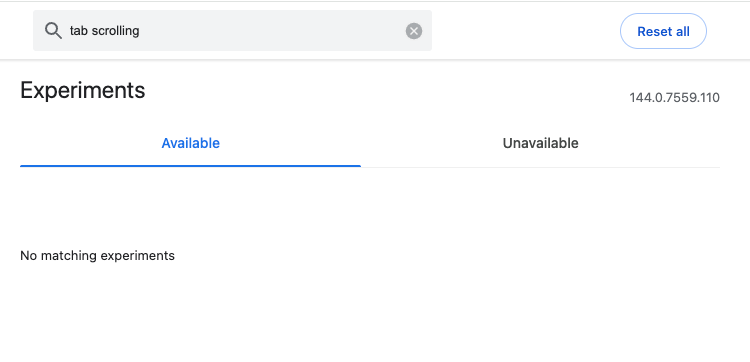 Chrome 144: tab scrolling gone from chrome://flags
The user backlash
The complaints started immediately on GitHub, Google's support forums, and Mozilla Connect.
"I have fine motor control problems and tiny tabs just do not work!" - mmcadwell, arguing the removal violates the ADA
"The browser is basically unusable now. All my tabs have been crammed into such a small space that I can't click anything." - fusionstream
"IT'S JUST A TAB STRIP! How hard can it be?" - JoseHidalgo, on Google's timeline for a fix
Google's response
A Google employee did respond on the support forums: "Please be assured that this is a temporary state. There is an active, high-priority effort underway to bring back tab scrolling in a more reliable and polished form."
The explanation: the old tab scrolling code was built on outdated infrastructure that couldn't be maintained alongside newer UI work. Google chose to remove it entirely rather than keep two parallel implementations.
This didn't satisfy many users. The feature worked fine. Now it doesn't.
The workarounds users are trying
Some users downgraded to older browser versions. Chrome 143.0.7499.193 and Brave 1.85.111 still have the feature. The process involves disabling automatic updates, which creates its own problems with security patches.
Others switched to Firefox, which has always supported tab scrolling and lets users configure minimum tab widths through about:config.
A few tried vertical tabs, available in Chrome Beta. Mixed results.
A different approach to tab management
We built TabsPrompt for people who end up with 50, 80, or hundreds of tabs. For finding the one tab you need, keeping groups organized and not losing track of research from last week.
TabsPrompt sits on top of your browser and gives you:
- Search across all tabs and archived sessions - type a word, find the tab, open it. No scrolling required.
- Tab groups that persist - save a project's tabs, close them to free memory, restore them when you're ready.
- Archive for later - tabs you might need someday don't have to clutter your current session.
- AI-powered organization - tell TabsPrompt what to do in plain English. "Close all shopping tabs" or "Group my work tabs together."
- Keyboard-first navigation -
Cmd+Shift+kopens the search, arrow keys navigate, Enter opens. Faster than any tab strip.
Instead of scrolling through 80 tabs trying to read titles, you type a few letters and jump directly to what you need.
If Google's changes broke your workflow, give TabsPrompt a try. It works on Chrome, Brave, Edge, and any Chromium browser. Check out our changelog for the latest features.
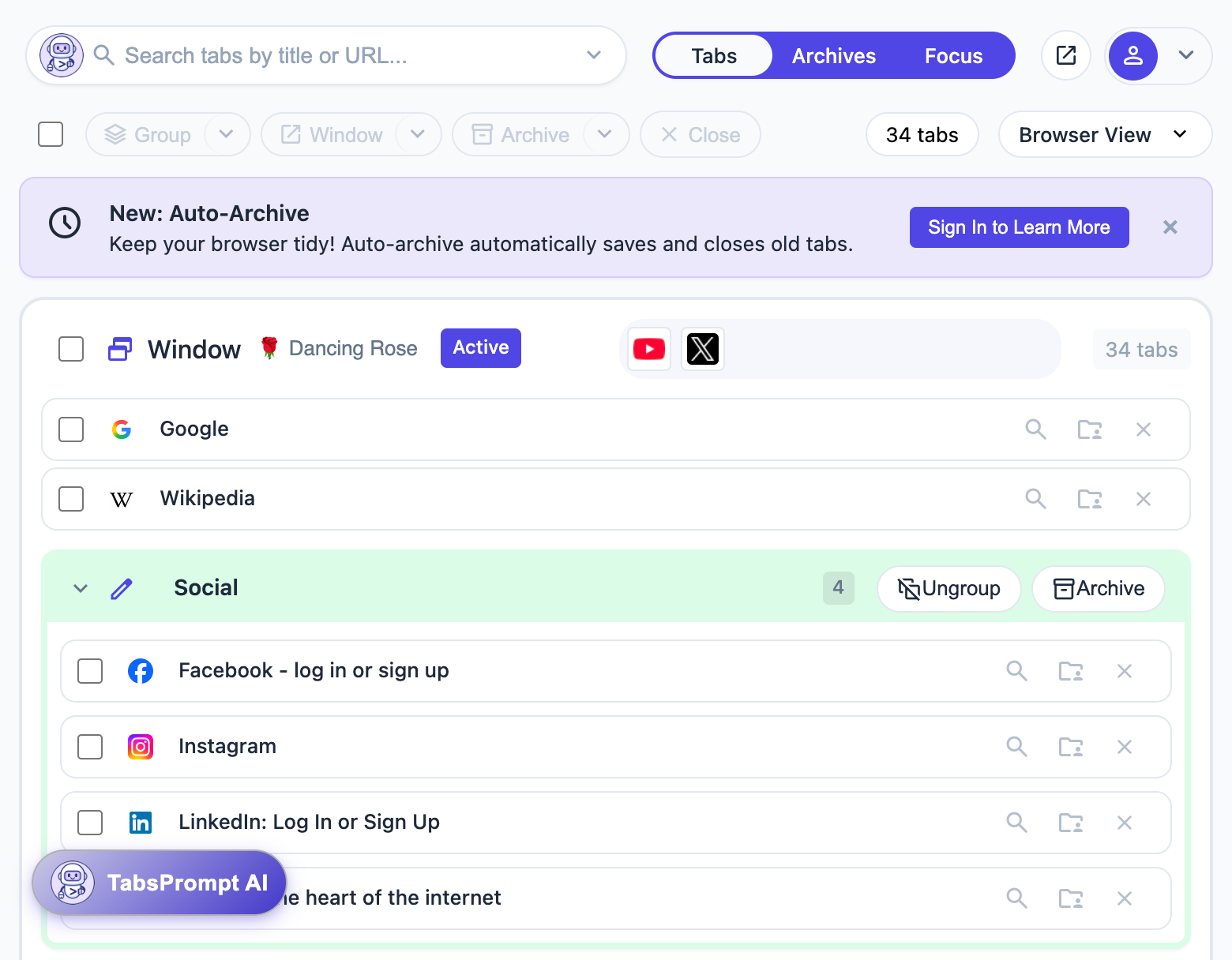
Ready to transform your browsing experience? Try TabsPrompt and see how intelligent tab management can improve focus and reduce clutter.
Try TabsPrompt