Open your browser right now and count your tabs. Not roughly. Actually count them.
Most browsers show somewhere between 20 and 80. Some of them are work. Some are articles you opened hours ago. A few have been there so long you've forgotten what they are, and you'd rather not close them in case they turn out to be something you need.
Each one of those tabs is telling you something about how you work. Not what you think you're doing - what you're actually doing.
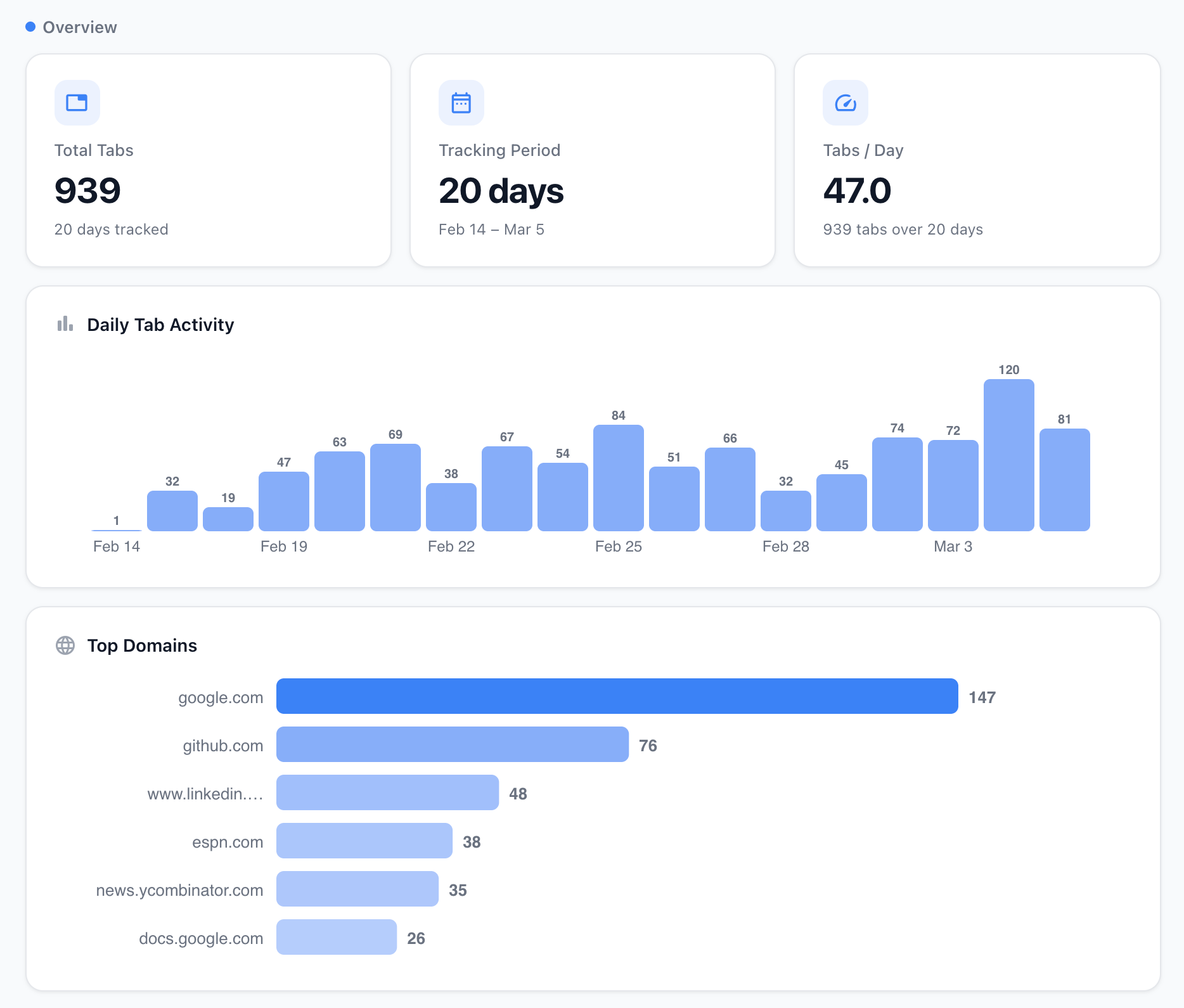
Three patterns hiding in your tab bar
Among the metrics TabsPrompt's Tab Insights tracks, three stand out: zero active time, visited once, and single-day only. Each one maps to a specific habit that's costing you attention without you noticing.
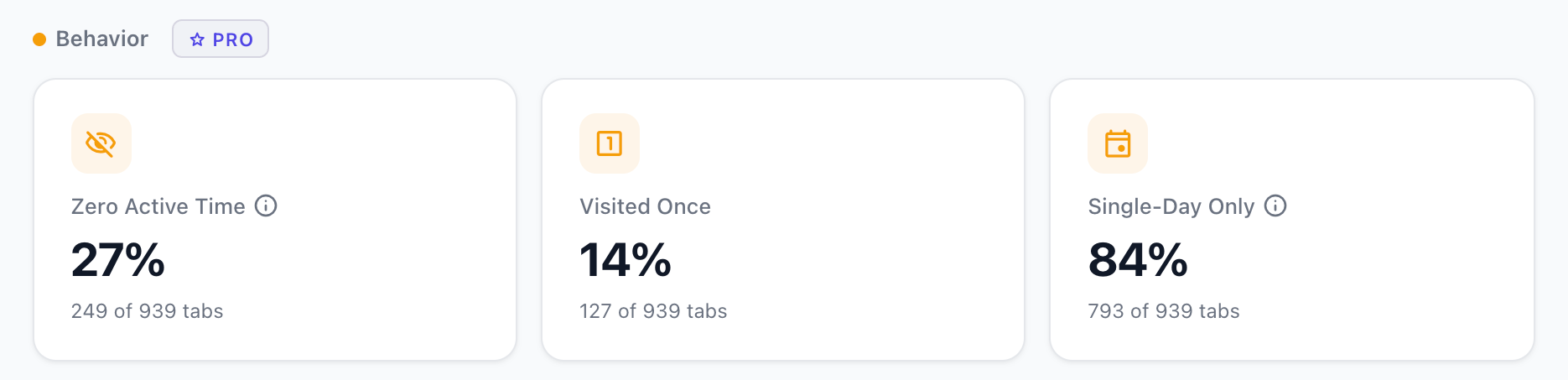
Zero active time: you're collecting, not reading
This is the percentage of tabs you opened but never actually focused on. Not "looked at briefly" - never focused on at all. The page loaded in a background tab and stayed there.
It happens like this: you're reading an article, see an interesting link, middle-click to open it in a new tab, and keep reading the original. Then you see another link. Middle-click. And another. By the time you're done with the article, you have four new tabs you haven't looked at. You move on to something else. Those tabs sit there for hours.
It's closer to collecting than reading - grabbing things because they might be useful, without any immediate plan to use them. The tab bar becomes a pile of intentions - and intentions that aren't acted on within the first few minutes tend to stay that way.
The useful shift isn't a new tool - it's noticing the impulse - the middle-click - and asking whether you're actually going to read that page in the next hour. If not, let it go.
Visited once: you're avoiding decisions
Visited-once tabs are different from zero-active-time tabs. You did look at these. You opened them, read a bit, maybe scrolled down. Then you switched away and never came back.
These aren't impulse-opens. They're deferred decisions.
A product comparison you haven't made up your mind about. A job listing you're not sure you want to apply to. A recipe you might cook this weekend. A thread where you started forming an opinion but didn't finish. Each one represents a small choice you put off, and your browser is holding the evidence.
There's a name for this: the Zeigarnik effect. Your brain holds onto unfinished tasks more tightly than completed ones. Every visited-once tab is an open loop - not a big one, but it registers. Your brain keeps a thread running on each one, whether you're conscious of it or not.
A high visited-once percentage (above 40-50%) means you're using your tab bar as a decision queue. The tabs aren't there because you need the information. They're there because you haven't decided what to do with it.
This is where auto-archiving helps. TabsPrompt can move idle tabs out of your tab bar automatically - they're not gone, just stored. If the decision matters, the tab is one click away in your archive. If it doesn't, it never clutters your tab bar again.
Single-day only: the "saving for later" lie
This metric tracks what percentage of your tabs are accessed on only one calendar day. You open them, use them (or don't), and never return the next day or the day after.
For most people, this number is above 80%.
Think about what that means. When you leave a tab open overnight, telling yourself you'll get back to it tomorrow, the data says you almost certainly won't. The tab bar isn't functioning as a reading list or a to-do list. Most of what's in it won't make it to tomorrow.
This doesn't mean you should aggressively close everything at the end of each day. It means you should stop treating open tabs as a storage system. They're a workspace. Things come in, get used, and leave. The few tabs that do persist across days - the 10-20% - are your actual ongoing work. Everything else is passing through.
Focus time: the metric that ties it together
The three behavior patterns tell you about your habits. Focus time tells you about your output.
Tab Insights measures active focus time - the time you're actually viewing a tab, with the window focused and the tab active. Not time since you opened it. Time spent looking at it.
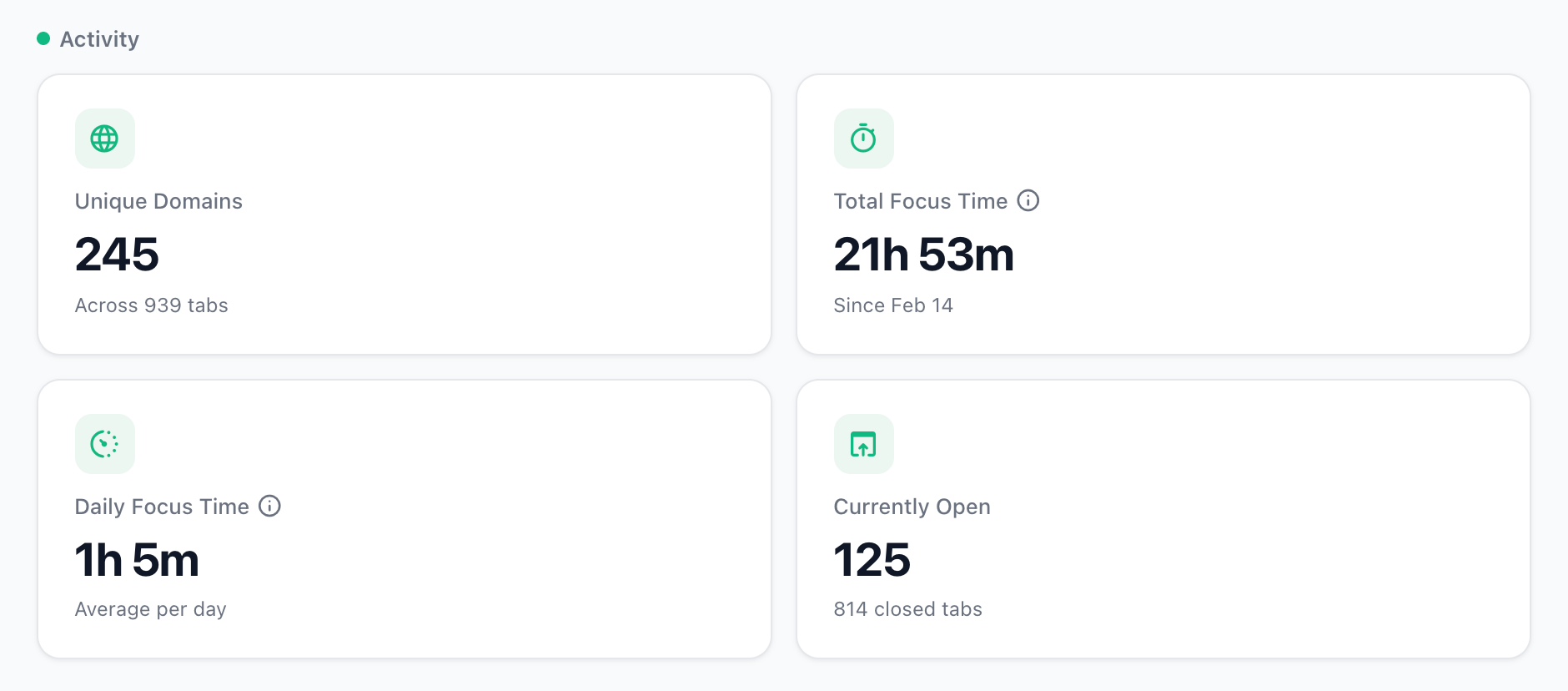
When you see your total focus time compared to the number of tabs you opened, the ratio is usually surprising. A few tabs get most of the attention. The majority get almost nothing.
This isn't a failure of discipline. It's the natural shape of browsing. You have a handful of tabs where real work happens and a long tail of quick lookups, reference checks, and abandoned rabbit holes. Knowing which is which is the point. A website time tracker that shows you per-domain focus time tells you something your tab count never will: where your attention actually goes.
Reading your own patterns
The numbers don't prescribe a fix. They're diagnostic.
High zero active time? Tabs are arriving faster than they're getting attention.
High visited once? The tab bar is holding deferred decisions.
High single-day only? Most tabs aren't surviving the day - they're passing through, not persisting.
Low focus time across many tabs? Attention is spread thin across the tab bar.
Tab Insights runs locally inside TabsPrompt - nothing uploaded, nothing shared. It starts tracking when you browse and shows the breakdown after a day or two. Sections cover overview stats, daily activity, behavior patterns, timing, trends, lifecycle, and memory usage.
Your tabs have been telling you something about how you work. Now you can actually hear it.