Introduction
Tabs accumulate quickly during regular browsing as you open pages for reference and leave them open “just in case.” Before long, dozens of idle tabs clutter your workspace and consume system memory.
Auto-archiving helps you automatically save and close tabs you aren’t actively using so your browser stays fast and responsive.
Set a lifespan for your tabs
With auto-archiving, you can choose how long an unused tab should stay open. In Settings, toggle on Auto-Archiving and set a threshold - from a strict one day to a more lenient seven days or more.
If a tab sits untouched for that duration, it is automatically archived and closed. You can run the cleanup immediately to clear out your backlog or let the process run automatically.
When you enable the feature, you can choose to either run the cleanup immediately to clear out your backlog instantly, or to wait for the next cycle, which occurs automatically every morning.
Reclaim system memory
Each open tab consumes memory, and large tab sessions can noticeably slow down your browser. When auto-archiving runs, idle tabs are closed and memory is freed.
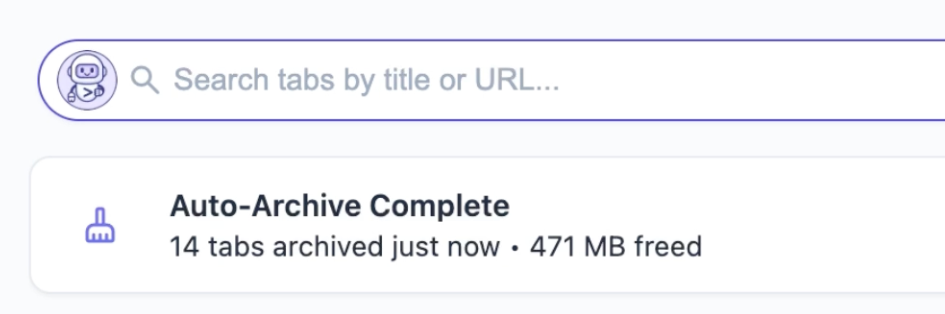
After each cleanup, you can see how much memory was reclaimed, giving you a clear signal that your browser has more resources available for active work.
A safety net for your history
Closing tabs automatically can feel risky, especially when you’re not sure whether you’ll need them again. Auto-archiving avoids this by moving closed tabs into a dedicated Automatically Closed Tabs section instead of deleting them.
Archived tabs are:
- Easy to review in the archive list
- Quick to restore if you need them again
- Kept for up to 90 days before being permanently removed
This gives you a clean browsing session while keeping past tabs accessible.
Why Auto-Archiving Matters for Performance
Leaving unused tabs open increases memory usage and adds unnecessary clutter. Auto-archiving keeps your browsing session lean by removing inactive tabs automatically based on your settings. Instead of manually managing tab cleanup, the process runs in the background and helps maintain a faster, more responsive browser.
Summary
Auto-archiving helps you automatically save and close unused tabs, reduce memory usage, and keep your browser performing smoothly. By moving inactive tabs out of your active session and into the archive, you get a cleaner workspace without losing access to content you may need later.